
War in the North Switch vs Switch 2 Performance
Compare War in the North Legacy Edition on Switch and Switch 2 using the same patch, combat scene and display mode before planning a long co-op run.
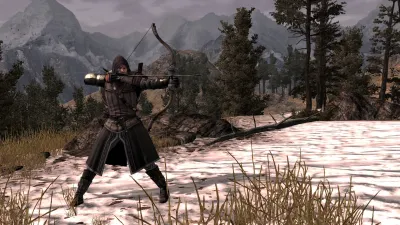
Patch 2: compare the same updated scene
Apply the current update on both devices before comparing Switch and Switch 2. Patch 2 repairs co-op loading and hub crashes, missing textures in Osgiliath, the Coldfells and Urgost’s Lair, and several character and audio faults. Those repairs should not be turned into a claimed console resolution, fixed FPS target or loading-time number.
Use the same combat scene, camera path and display mode on each device. Then repeat a chapter transition and the split-screen setup you intend to use. A smooth menu or one short solo scene does not answer how a long couch-co-op session will feel.
Quick answer
Compare Switch and Switch 2 using the same installed patch, combat scene and handheld or docked mode. Give sustained frame pacing and your intended co-op setup priority over menu performance.
Choose the platform around the experience you need: solo stability, handheld battery life, or local split-screen. Do not buy from one peak-FPS comment alone.
What to compare
| Test | Why it matters | Compare |
|---|---|---|
| Solo combat | Establishes the baseline render load | Frame pacing through one normal fight |
| A chapter transition | Exposes streaming or loading spikes | Time from input to playable control |
| Handheld and docked | Separates power and display modes | Same scene, same camera path |
| Local split screen | Adds simultaneous views and input | Stable frame pacing with two players |
| Long session | Finds heat or battery throttling | Performance after 20–30 minutes |
| Patch parity | Prevents comparing different builds | Version number and download date |
A fair same-scene test
- Use the same display mode and the same game version on both systems.
- Start from a clean save at a recognisable checkpoint.
- Record the opening menu, loading time, one combat encounter, one camera turn, and one transition.
- Repeat in local co-op if that is the reason for the purchase.
- Note frame pacing, resolution stability, input latency, loading, fan/heat, and battery—not just maximum FPS.
If one video shows 60 FPS in a quiet corridor and another shows 30 FPS during a crowded fight, those clips are not contradictory; they are different workloads.
Buying decision
- Choose Switch 2 if you value extra headroom and the measured version of the game holds frame pacing in the scenes you care about.
- Choose base Switch only after confirming that the current patch and local co-op workload meet your tolerance.
- Wait for a patch or a measured comparison if split screen is the primary use and no test covers it.
The GamesRadar+ launch report confirms modern Nintendo availability but does not benchmark the two devices. The community discussion supplies a lead that still needs same-scene confirmation.
Sources
Recommended guide route