
War in the North Steam Deck Settings and Performance
A conservative Steam Deck diagnostic baseline for Legacy Edition, with a repeatable test method separating Windows support from handheld evidence.
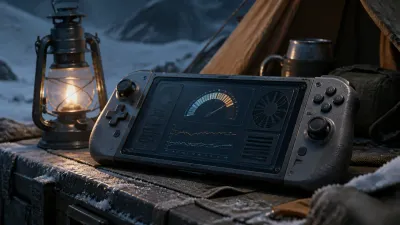
Quick answer
Update, September 2026: the game is now Steam Deck Verified. Patch 1 (September 15) lists Steam Deck Verified as part of the update, which upgrades this page from “unverified handheld support” to an officially rated build — Valve only marks a game Verified after testing input, text size, performance and suspend behaviour on the device. There is still no published per-setting benchmark from the developer, so the diagnostic baseline below stays useful for choosing settings, but you no longer have to prove basic compatibility.
Status (updated September 2026): Steam Deck Verified as of Patch 1. The settings below remain a diagnostic baseline rather than an official preset.
Conservative starting profile
| Setting | Starting point | Why |
|---|---|---|
| Display | Native handheld resolution | Gives a stable reference before upscaling variables are added |
| Frame limit | 30 FPS | A realistic first target for a launch-week port with unknown frame pacing |
| Effects | Low or medium | Reduces the number of heavy variables during diagnosis |
| Refresh rate | Match the cap | Prevents a mismatch from making frame pacing look worse than it is |
| TDP and fan | Default | Record custom power settings only after a baseline exists |
| Proton | Start with the default compatible layer | Test one alternative at a time, not a collection of tweaks |
Do not call the profile “optimal.” It is a controlled starting point that can be reverted.
Measure a scene, not a menu
- Record SteamOS version, Proton version, game version, resolution, frame cap, TDP, and display refresh.
- Use the same save and the same route each time: leave the menu, enter a combat encounter, rotate the camera, and cross one transition.
- Capture average frame rate, 1% lows if available, frame pacing, loading time, fan noise, and battery drain.
- Repeat the same route after changing one setting.
- Stop if the game begins saving abnormally or the device becomes unstable.
The most useful result is not a single peak number. It is “30 FPS cap, scene X, stable/unstable, after Y minutes.” Local split screen should be tested separately because it changes rendering and input load.
How to interpret a slowdown report
If performance collapses only after leaving menus, first repeat the same route with the default profile. If the drop returns, note the exact transition and report it. Do not infer that a different Proton layer or a lower resolution fixed the game unless the same scene is repeatable.
The current SteamDB record identifies the supported system as Windows. A handheld report can identify a lead, but it cannot upgrade Windows support into a verified Deck rating. Use Aspyr support for a reproducible trace.
Sources and evidence boundary
- SteamDB app metadata — Windows support and current PC metadata.
- Handheld performance report — device-specific lead only.
- GamesRadar+ launch coverage — modern platform availability, not a Deck benchmark.
This page should be replaced with a measured table when repeatable Steam Deck tests are available. Patch 1 (September 15, 2026) also fixed stability, inventory and multiplayer desync issues — see the multiplayer and equipment pages for the details.
Recommended guide route
Sources & verification
Open the evidence used for this guide. Community reports are not official patch notes.
- Evidence
- Evidence: Partial
- Checked
- Checked: 8/14/2026